
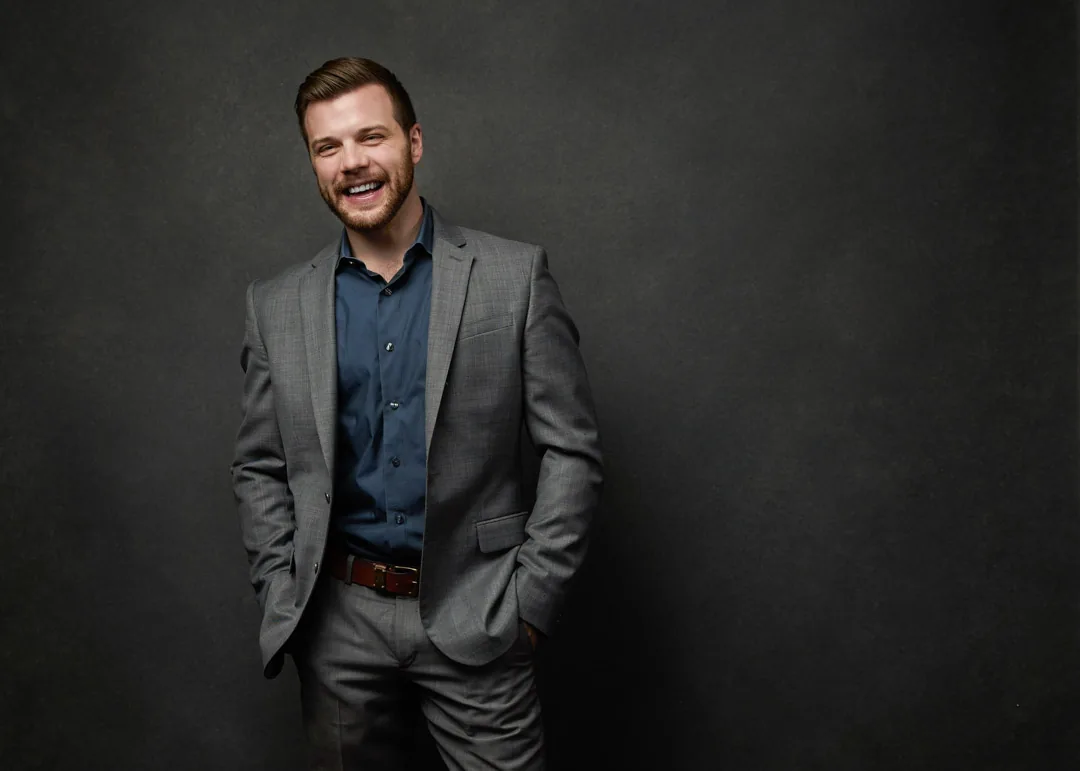
What are the rules for a LinkedIn profile picture? Here are the seven that matter, and the mistakes that quietly work against you.
The rules for a LinkedIn profile picture are simpler than most people think. Use a recent photo that looks like you today, crop it so your head and shoulders fill most of the frame, look into the lens with a genuine expression, light your face softly and evenly, keep the background clean, wear something simple and solid, and make sure the image is sharp. Avoid selfies, group-photo crops, sunglasses, busy backgrounds, and heavy filters. That is the whole checklist, and the rest of this guide explains why each rule works and how to get it right.
I'm Joshua Albanese, founder and lead photographer at JA Headshots. Over 18 years I've photographed more than 15,000 professionals, first in Chicago and now here in Fort Myers, Florida. LinkedIn is the single most common reason people book a headshot with me, so I've watched thousands of these photos do their job well or fall flat. Here are the seven rules that matter, and what to avoid with each.
Rule 1: Use a recent photo that actually looks like you
Your LinkedIn photo is a promise. It tells the recruiter, client, or hiring manager who they are about to meet. When the photo is five years and one haircut out of date, that promise breaks the moment you walk into the room or open the video call, and it costs you a small amount of trust before you have said a word.
A profile photo should match how you look on a normal, good day. Not your wedding, not a vacation glow, not a version of you that no longer exists. In practice that means updating your headshot every two to three years, or sooner if your appearance has changed in a way people would notice.
What to avoid: the old favorite you keep because you liked how you looked in it. If it no longer matches you, it is working against you. A photo that looks like today is always stronger than a flattering one from the past.
Rule 2: Fill the frame with your face
LinkedIn shows your photo as a small circle. On a phone, it is roughly the size of a fingertip. That is the single biggest technical reason so many profile pictures fail: the face is too small to read.
The fix is framing. Your head and shoulders should fill most of the frame, with just a little breathing room above your hair and your eyes sitting in the upper third. When the photo is cropped that tightly, your face survives being shrunk into a circle and still communicates warmth and confidence at a glance.
What to avoid: the full-body shot, the photo taken from across the room, and the group picture you cropped yourself into. Cropping a wide photo down to your head leaves you with a soft, low-resolution square where your features blur. Shoot for the crop from the start instead of rescuing it later.
Rule 3: Look at the camera and give a real expression
Eye contact is what makes a headshot feel like a connection instead of a photo. When you look directly into the lens, everyone who lands on your profile feels looked at, and that small thing is a large part of why some photos read as approachable and trustworthy.
The expression matters just as much. A genuine, relaxed smile, or even a warm, closed-mouth look with engaged eyes, reads as confident and human. The key word is genuine. A forced smile lives in the mouth; a real one lives in the eyes. This is the part people find hardest to produce on command, which is exactly why direction helps so much. My whole approach is built on coaching a real expression out of people who freeze up the second a lens points at them.
What to avoid: looking off to the side for no reason, a stiff say-cheese grin, and a flat, unengaged stare. Aim your eyes at the lens and let the expression be yours.
Rule 4: Get the lighting soft and even
Lighting is the difference between a photo that looks professional and one that looks like it was taken in a hallway, and it is the variable most people never think about. Soft, even light on your face flatters almost everyone. It smooths skin, opens up the eyes, and removes the harsh shadows that make a face look tired or severe.
The mechanism is simple. Big, soft light sources wrap around your features gently. Small, hard sources, like a bare ceiling bulb or direct midday sun, carve deep shadows under the eyes, nose, and chin. In a studio I control this with large modifiers so the light falls evenly and kindly across the face. Outside a studio, open shade or a large window with indirect light is the closest you can get.
What to avoid: overhead office lighting that shadows your eye sockets, direct Florida sun that makes you squint, and the color cast from a mix of window light and lamplight. Even, soft, and from slightly above is the target.
Rule 5: Keep the background clean and simple
The background has one job: to disappear so your face is the only thing anyone looks at. A clean, uncluttered backdrop, whether that is a soft studio gray, a simple neutral wall, or a gently blurred setting, keeps every bit of attention where it belongs.
This connects directly to the framing rule. In a small circle, a busy background does not just distract; it competes with your face for the few pixels available. A doorway, a plant sprouting from your head, a coworker half-cropped out of frame, all of it pulls the eye away from you and makes the photo read as casual.
What to avoid: the busy kitchen, the parked car, the vacation scenery, and any background with people or text in it. If you want a hint of environment, keep it soft and out of focus. When in doubt, plain wins. A quiet background makes you look considered, and considered is exactly the impression LinkedIn rewards.
Rule 6: Dress simply and for the role you want
Wardrobe on LinkedIn works the same way it does in the room: it should support you without shouting. Solid, mid-tone colors in a clean fit photograph best because they keep attention on your face rather than on your clothes. Think of your outfit as a frame around the picture, not the picture itself.
Dress for the version of your career you are moving toward, one notch above your daily norm. If your field is formal, a jacket or crisp collar reads well. If it is creative or casual, a clean, well-fitting top is plenty. The point is to look like a polished version of yourself, not a costume.
What to avoid: tight patterns that shimmer and distract, bright white and dead black that fight your skin tone under light, loud logos, and anything you would tug at all day. Necklines that frame your face cleanly, like a crew, a collar, or a simple V, tend to read best in the tight crop LinkedIn uses.
Rule 7: Invest in real quality, not a rescued snapshot
The final rule ties the others together: the image itself has to be sharp, high resolution, and finished. LinkedIn is where people decide whether to hire you, refer you, invest in you, or take your call. In my experience, viewers form an impression of a face almost instantly, and a crisp, well-made photo signals that you take that context seriously.
Quality is partly technical and partly craft. Technical means high resolution and correct exposure so the photo stays clean when LinkedIn compresses it. Craft means the framing, light, expression, and retouching all working together. Good retouching is invisible; it evens skin and tidies stray hairs without turning you into a stranger. That balance is hard to fake with a filter, which is why the professional result looks like a better-lit version of you rather than a smoothed-over mannequin.
What to avoid: heavy beauty filters, obvious over-retouching, and the arm's-length selfie. A phone held close distorts your features and flattens the light, which is the opposite of what these seven rules are trying to achieve.
The questions I hear most often about LinkedIn profile photos, answered plainly.
Ready for a LinkedIn photo that earns trust at a glance?
You do not need to be photogenic to follow these seven rules. You need soft light, tight framing, a real expression, and someone directing the whole thing so you are never left guessing. That is exactly what a guided studio session is built to do. If you want a LinkedIn headshot that looks like the best, most confident version of you, get in touch through the contact page at JA Headshots in Fort Myers. Sessions are $500, each retouched final image is $150, and the studio time is directed start to finish. You can also call (239) 401-6999 to book.
This article was written by Joshua Albanese, founder and lead photographer at JA Headshots in Fort Myers, Florida. He founded one of the top-10 rated headshot studios in the United States in Chicago, photographed more than 15,000 professionals over 18 years, and relocated to Southwest Florida in 2024. His psychology-driven approach is built for people who are convinced they are not photogenic.
Frequently asked questions
What are the rules for a LinkedIn profile picture?
Use a recent photo that looks like you today, crop it so your head and shoulders fill most of the frame, look into the lens with a genuine expression, light your face softly and evenly, keep the background clean and simple, wear solid mid-tone clothing, and make sure the image is sharp and high resolution. Avoid selfies, group-photo crops, sunglasses, busy backgrounds, heavy filters, and anything that hides or distracts from your face. Those seven rules cover almost everything that separates a professional profile photo from a forgettable one.
Can I use a selfie for my LinkedIn profile photo?
You can, but it rarely reads as professional. A phone held at arm's length sits close to your face and distorts your features, the lighting is usually whatever the room happened to have, and the angle tends to look casual. LinkedIn is where people decide whether to hire you, refer you, or take your call, so the photo is doing real work. A proper headshot with even light and correct framing signals that you take that context seriously, which is the impression you want a recruiter or client to walk away with.
How often should I update my LinkedIn headshot?
Update it whenever your everyday appearance has meaningfully changed, and at least every two to three years even if it hasn't. A photo that no longer matches how you look creates a small, awkward moment the first time someone meets you in person, and that moment costs you a little trust before you have said a word. The goal is for the person on the call to recognize the person in the photo instantly.
How much does a professional LinkedIn headshot cost in Fort Myers?
At JA Headshots in Fort Myers, a session is $500 and each retouched, final image is $150. The session covers the guided studio time and direction, and you choose how many final images you want retouched from what we shoot. Most people getting a single strong LinkedIn photo pick one or two finals, and professionals updating several platforms at once tend to choose more. You are never charged for images you don't select.
Studio headshot sessions in Fort Myers, built for professionals who want a LinkedIn photo that earns trust at a glance.
Learn more
Written by
Joshua Albanese
Photographer, JA Headshots
Joshua Albanese founded one of the top-10 rated headshot studios in the United States in Chicago in 2007. Over 18 years he photographed more than 15,000 professionals and produced over 3 million images for clients ranging from Fortune 500 executives to first-year associates. In 2024 he relocated to Fort Myers and opened a dedicated portrait studio at 1325 Canterbury Dr. His psychology-driven approach is built for people who say they aren't photogenic.