
Time for a refresh? How to update your LinkedIn photo, what to change, and when to do it.
A LinkedIn photo refresh means swapping your profile photo for a current, well-shot image, and you should do it when you no longer quite look like the old one, roughly every two to three years. If you would rather skip the guesswork and get a photo built for the way recruiters actually scan a profile, LinkedIn headshots in Fort Myers at JA Headshots are made for exactly that. I'm Joshua Albanese, and after photographing more than 15,000 professionals over 18 years, the refresh question is one I get most in January. Here is what to update, how to do it cleanly, and when it is genuinely worth the effort.
How do I update my LinkedIn photo?
You update your LinkedIn photo by clicking your current photo on your profile and choosing to upload a new one. On desktop, hover over the photo and pick the edit icon. On the mobile app, tap your photo, then the camera icon. LinkedIn then gives you a small editor to crop, zoom, and straighten before you save.
Spend a moment in that editor. It is where a good photo gets ruined or saved.
- Framing. Pull the crop so your head and shoulders fill roughly the top third, with your eyes about a third of the way down and a little space above your head.
- Zoom. Do not crop so tight that your head touches the edges. A sliver of breathing room reads calmer and more professional.
- Straighten. A photo tilted even a few degrees looks accidental. Level it.
- Save once you are happy. The new photo replaces the old one across your profile, your comments, and your messages.
That is the mechanical part. The harder question is what actually needs updating, and whether the photo you are about to upload is worth uploading at all.
When should I update my LinkedIn photo?
Update it when you no longer look like it. That is the honest rule, and it beats any fixed calendar. The photo should look like you on a normal good day right now, so that someone who has only met you online recognizes you when you walk into the room.
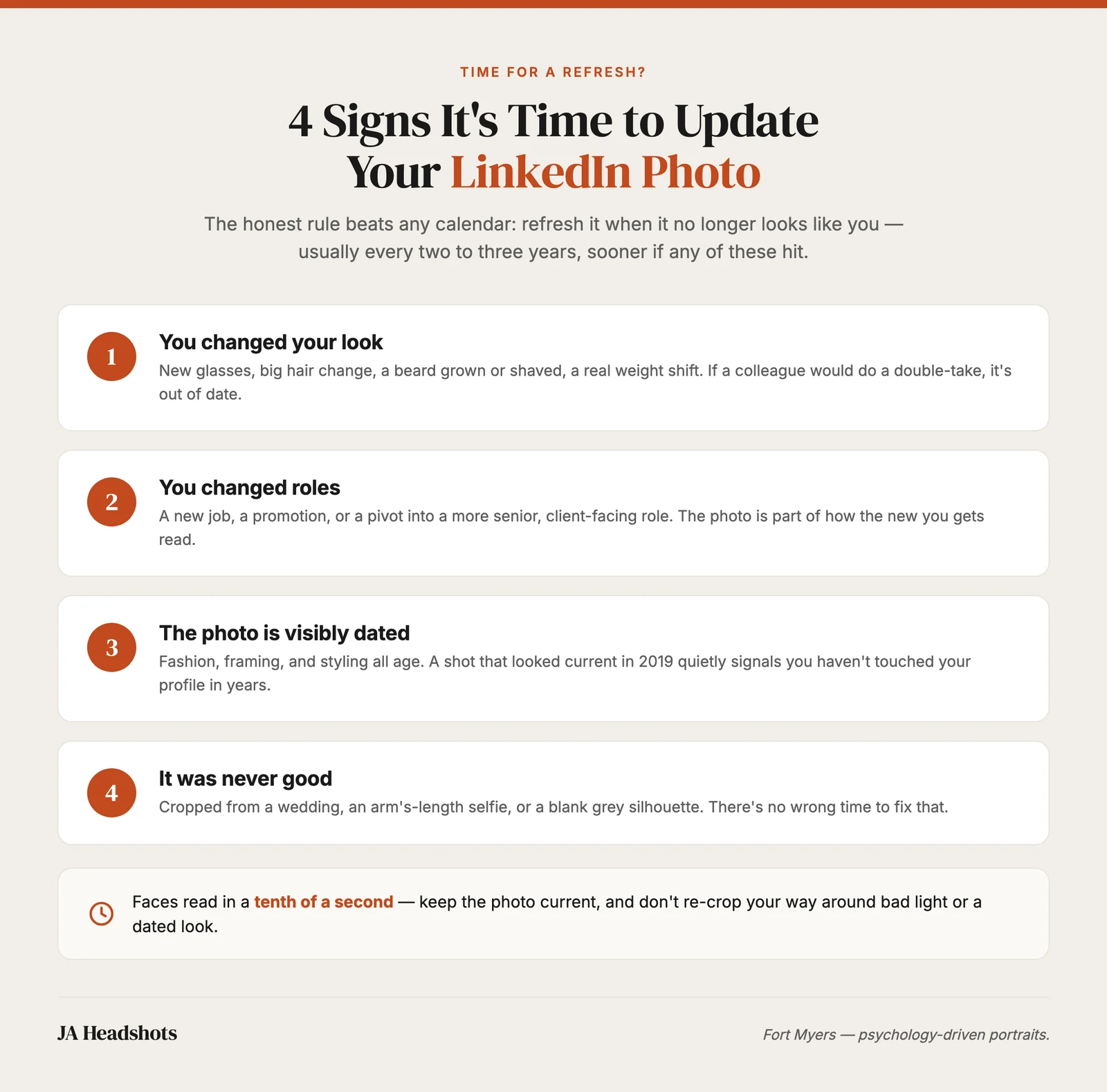
As a general guide, most people benefit from a refresh every two to three years even if nothing dramatic has changed, because faces shift slowly and styling dates faster than we notice. But a few specific triggers should move you sooner:
- You changed your look. New glasses, a big change in hair, a beard grown or shaved, a real change in weight. If a colleague would do a double-take, the photo is out of date.
- You changed roles. A new job, a promotion, a pivot into a more senior or client-facing role. The photo is part of how the new you is read.
- The photo is visibly dated. Fashion, framing, and even photo styling age. A shot that looked current in 2019 can quietly signal that you have not touched your profile in years.
- It was never good. Cropped from a wedding, an arm's-length selfie, or a blank grey silhouette. There is no wrong time to fix that.
Is a New Year LinkedIn photo refresh a good idea?
New Year is a good trigger, but there is nothing magic about January itself. It works because you are already reviewing the year ahead, and a fixed annual reminder is easier to keep than a vague intention to update it "sometime." Treat it as a prompt to check, not a rule that the photo must change.
Here is the reframe I give people who feel behind: the calendar is not the point, currency is. If you check your profile in January and the photo still looks like you and still reads well, you are done. Leave it. Updating a perfectly good photo just because it is a new year is busywork.
The value of the annual check is that it catches the slow drift. Most out-of-date photos are not obviously wrong on any single day. They just quietly fall a year or two behind until one day a photo of you from a recent event sits next to your profile and the gap is embarrassing. A yearly look prevents that.
What should I actually change in a refresh?
Change the things that decide how your face reads, and leave the rest alone. A refresh is not a reinvention. If your last photo worked, keep what worked and fix only what has aged or fallen short.
The four things worth getting right are the same four that make any professional photo work: soft even light on your face, framing that fills the top third with your head and shoulders, a clean uncluttered background, and a genuine, relaxed expression rather than a held smile. If your current photo misses any of those, that is your update list. I broke down each of these in detail in my guide on how to take a good LinkedIn photo, and the same standards apply whether you shoot it yourself or book a session.
One thing people forget in a refresh is consistency across platforms. Your LinkedIn photo, your company bio, your email signature, and your speaker profiles should feel like the same person from the same era. When you refresh one, refresh them all from the same set. A matched set from a single sitting is part of why teams book corporate headshots in Fort Myers together, so everyone updates at once and the company page stops looking like a patchwork of phone photos from different years.
And a small honesty check: if you are tempted to just re-crop the old photo, ask whether the problem is the framing or the photo. A better crop can rescue a recent, well-lit shot with awkward composition. It cannot rescue bad light, a dated look, or an expression that never landed. If the issue is the photo itself, re-cropping just rearranges the problem.
Does a first impression really change that fast?
Yes, and that is the whole reason the refresh matters. On LinkedIn your photo is often the first thing anyone processes about you, and they process it almost instantly. A recruiter scanning a list, a prospect deciding whether to reply, a hiring manager glancing before a call, they all read your face before your words.
The speed of that judgment is well documented. In a 2006 study published in Psychological Science, Princeton psychologists Janine Willis and Alexander Todorov found that people form impressions of a face on traits like trustworthiness and competence after as little as a tenth of a second, and that longer looking mostly just hardens the snap judgment already made. Your out-of-date photo is competing in exactly that moment.
To be clear, that research is about faces in general, not a promise that a fresh photo lifts your reply rate by some specific number. Anyone quoting you a precise figure is guessing. What the science establishes is that the first impression happens fast and sticks, so keeping the photo current and well made is worth the small effort it takes.
Should I book a session or handle the refresh myself?
If your current photo is recent and only needs a better crop, handle it yourself in the LinkedIn editor and move on. There is no need to book a session to fix framing. But if the photo no longer looks like you, was never good, or you have quietly hated every photo of yourself for years, a session solves the real problem instead of rearranging it.
A guided session controls the four things that decide how your face reads, so none of them are left to luck, and you get direction the whole way rather than standing there wondering what to do with your hands. For people who dislike being photographed, that combination is what turns "I hate every photo of me" into a shot they are happy to keep for the next few years. Our whole LinkedIn headshot approach in Fort Myers is built around that recruiter-scan moment.
Pricing is transparent. Our individual headshot pricing in Fort Myers is a flat $500 session fee plus $150 per fully retouched image you keep, with standard delivery in 48 to 72 hours. You walk away with a matched set for LinkedIn, your website, and anywhere else your face needs to earn trust, so one afternoon covers the refresh across every platform at once.
The questions I hear most about updating a LinkedIn photo, answered plainly.
Ready for a LinkedIn photo that finally looks like you?
You do not need a new year to justify a better photo. If your current one is dated, cropped from something else, or a photo you have never liked, book LinkedIn headshots with JA Headshots in Fort Myers and get a portrait built for the moment a recruiter reads your face in a fraction of a second. Sessions are guided start to finish, retouching is included, and there is no clock on your time. Call (239) 401-6999 to book.
This article was written by Joshua Albanese, founder and lead photographer at JA Headshots in Fort Myers. He founded a top-10 US headshot studio in Chicago, photographed more than 15,000 professionals over 18 years, and relocated to Southwest Florida in 2024. His psychology-driven approach is built for people who are convinced they are not photogenic.
Frequently asked questions
How do I update my LinkedIn photo?
On desktop, click your profile, hover over your current photo, and select the camera or edit icon to upload a new one. On the mobile app, tap your photo, then the camera icon, then upload or take a new shot. LinkedIn lets you crop, zoom, and adjust before saving, so get the framing right in that editor: head and shoulders filling the top third, eyes about a third of the way down. Save, and the new photo replaces the old one everywhere your profile shows.
How often should I update my LinkedIn photo?
Roughly every two to three years, or sooner if your appearance has changed enough that people might not recognize you at a glance. The photo should look like you on a normal good day, right now, not five years and one haircut ago. A new role, new glasses, a big change in hair or weight, or a headshot that is visibly dated by its style are all good reasons to refresh sooner.
Should I update my LinkedIn photo at New Year?
New Year is a fine trigger because you are already thinking about the year ahead, and it is easy to remember, but there is nothing magic about January. What matters is that the photo is current, not the date on the calendar. If your photo is out of date in March, update it in March. The best time to refresh is whenever you notice it no longer looks like you.
Will updating my LinkedIn photo notify my whole network?
It can. LinkedIn may show a profile-photo update to your network in the feed, though the behavior changes over time and depends on your settings. If you would rather refresh quietly, turn off share profile updates in your visibility settings before you swap the photo, then turn it back on afterward if you want. Either way, a good new photo working for you is worth more than a quiet swap.
Do I need a new professional photo, or can I just re-crop the old one?
If your current photo is recent and well lit and only the framing is off, a better crop can genuinely help. But cropping cannot fix bad light, a dated look, or an expression that never worked. If the photo no longer looks like you, or it was never good to begin with, a fresh session solves the actual problem rather than rearranging it.
LinkedIn headshots in Fort Myers, built for the recruiter-scan moment. Guided, retouched, no clock.
Learn more
Written by
Joshua Albanese
Photographer, JA Headshots
Joshua Albanese founded one of the top-10 rated headshot studios in the United States in Chicago in 2007. Over 18 years he photographed more than 15,000 professionals and produced over 3 million images for clients ranging from Fortune 500 executives to first-year associates. In 2024 he relocated to Fort Myers and opened a dedicated portrait studio at 1325 Canterbury Dr. His psychology-driven approach is built for people who say they aren't photogenic.